
Creating a secure and peaceful home environment is a priority for families everywhere. Modern security systems are designed to be intuitive, yet they provide comprehensive protection for both people and property. At the heart of many home security setups is the Ring Alarm Keypad, a central hub that allows you to manage your system efficiently.
Learning how to use Ring Alarm Keypad gives homeowners the confidence to control their security measures accurately and responsibly. Understanding its functions reduces confusion, prevents unnecessary alerts, and ensures that your home’s safety routines integrate smoothly into daily life. This guide walks you through each feature and function in a calm, straightforward manner, making the technology approachable for anyone. By following these steps, you can confidently maintain control over your home’s safety while keeping the process simple, secure, and effective.
What is a Ring Alarm Keypad?
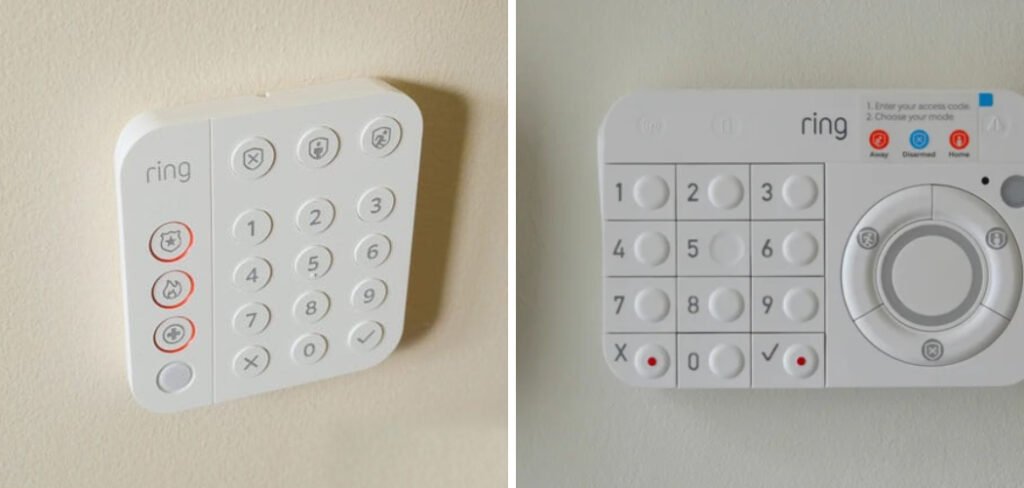
A Ring Alarm Keypad is a physical control device that serves as the main interface for your home security system. Typically mounted near entrances, it allows you to arm or disarm the system, select security modes, and use emergency features without relying solely on a smartphone app. The device includes a numeric keypad for entering access codes, mode buttons for “Home” or “Away” settings, and indicator lights that show the system’s current status. It provides a convenient and immediate way to manage your home’s security, ensuring that family members can interact with the system independently and safely.
Preparing for Smooth and Confident Use
Before using the keypad, it is helpful to approach it with a calm and prepared mindset. Familiarize yourself with the location of mode buttons, the numeric pad, and any visual indicators. Knowing your access code and ensuring the area is well-lit reduces errors and prevents frustration. This preparation helps you interact with the system naturally, making your security routine feel effortless. Understanding the keypad’s basic functions beforehand creates confidence and encourages responsible use, ensuring the system protects your home effectively.
The Importance of Proper Keypad Usage
Using the Ring Alarm Keypad correctly ensures that your home security system functions reliably. When operated as intended, the keypad helps maintain consistent protection by arming sensors and communicating with your base station accurately.
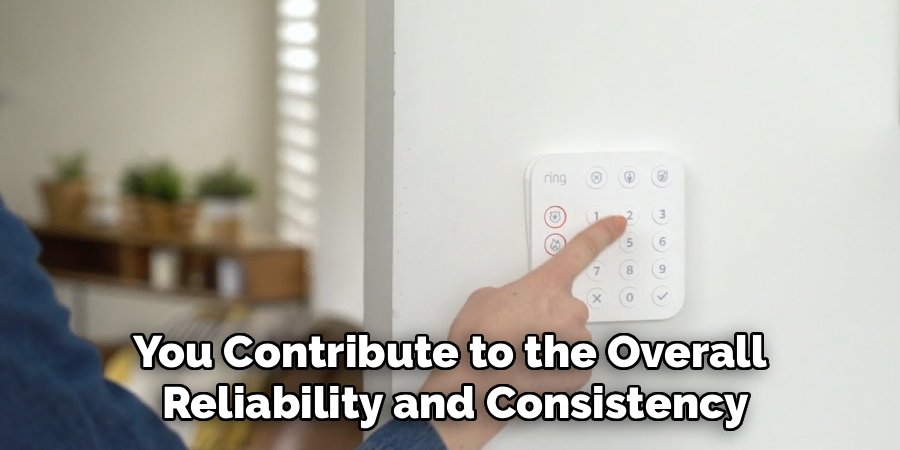
Misunderstanding or neglecting keypad procedures can lead to gaps in monitoring or false alarms, reducing the effectiveness of your security setup. Proper usage also helps you verify system connectivity, power levels, and communication with monitoring services. By mastering correct operation, you contribute to the overall reliability and consistency of your home protection, creating peace of mind for everyone in the household.
Common Situations You Should Be Aware Of
Several everyday scenarios highlight why understanding keypad operation is valuable. Morning routines, such as leaving for work or school, may require arming the system quickly and efficiently. Homeowners often need to disarm the system quietly for late-night arrivals, cleaning services, or pet care activities. Unexpected events, such as a visitor arriving or a sensor needing attention, may also require adjusting settings. By being aware of these typical situations, you can react appropriately without confusion. Recognizing these moments prepares you to use the keypad confidently and maintain your home’s safety consistently.
Tools and Materials You’ll Need
- Your unique 4-digit access code.
- The Ring Alarm Keypad is installed and powered on.
- A compatible smartphone for optional status checks or setup adjustments.
- User manual for reference to light indicators or troubleshooting (optional).
- Adequate lighting to clearly see buttons, especially at night.
Step-by-Step Guide on How to Use Ring Alarm Keypad
Step 1: Arming the System for Departure
Before arming your system, ensure that all doors and windows are securely closed. Approaching the keypad, confirm that the status light shows the system is ready. Enter your four-digit access code carefully, then press the “Away” mode button, usually represented by a shield or running figure icon. A countdown tone will begin, allowing you time to exit safely. During this period, avoid lingering near sensors, as movement could affect detection. This mode arms all interior and exterior sensors, providing comprehensive protection while you are away. Listening to the countdown ensures the system has registered your command properly. Following this procedure ensures that your perimeter is fully secured and that the system functions reliably while you are out.
Step 2: Arming the System for Staying Inside
When you want protection while remaining inside, use the “Home” mode. This mode arms perimeter sensors on doors and windows but disables interior motion detectors, allowing free movement indoors. Before engaging the mode, confirm that all household members are present. Enter your four-digit code and press the “Home” button, often represented by a house or person icon. Depending on your settings, the system may arm immediately or allow a silent exit delay. This approach maintains security around the home’s perimeter while avoiding interruptions to normal indoor activity. Engaging the mode carefully ensures better protection and confidence that your household can move safely without triggering alarms.

Step 3: Disarming the System Upon Arrival
To deactivate the system upon entering your home, have your code ready. As soon as a monitored door opens, the entry delay begins, signaling that the system is waiting for authorization. Walk directly to the keypad and enter your four-digit code. Press the “Disarm” button, often depicted as an open or crossed-out shield. This action stops the entry countdown and switches the system’s status light to indicate disarmament. Completing this step ensures that sensors are inactive, preventing unnecessary alerts. Regular, careful disarming ensures smooth operation, avoids false alarms, and confirms that your home’s security system functions as expected.
Step 4: Using Emergency Features Responsibly
Many keypads include panic buttons for emergencies, such as police, fire, or medical assistance. Locate these buttons and ensure that household members understand their purpose. Press and hold the appropriate button for a few seconds or use the dual-press method if required. The keypad’s light indicator may flash, confirming that a signal has been sent. When connected to a monitoring service, the alert is routed to the relevant responders; otherwise, a local siren may activate. Using these features responsibly ensures that help is summoned only when truly necessary, contributing to the safe and informed use of your security system.
Simple Safety Tips You Can Use
Maintain a routine to check battery levels and device functionality. Keep the keypad clean, free from dust, and positioned at a convenient height for adults while out of reach of young children. Avoid clutter around the device to allow quick access. Review settings, including entry and exit delays, to match your household’s schedule. Practicing these preventive measures ensures reliable system performance without requiring complex technical interventions. These small precautions support consistent, everyday security management.
How to Stay Safe in Everyday Situations
In the home environment, integrate keypad checks into nightly routines to confirm that all entry points are secured. Family coordination ensures each responsible member knows their unique code, allowing the system to track user activity safely. Lifestyle adjustments, such as accounting for pets near motion sensors, prevent accidental triggers and enhance reliability. Positioning furniture away from keypads and access points ensures the device remains usable and visible. Combining these habits with proper keypad usage creates a balanced, secure living environment that fits naturally into daily routines.
Common Mistakes to Avoid
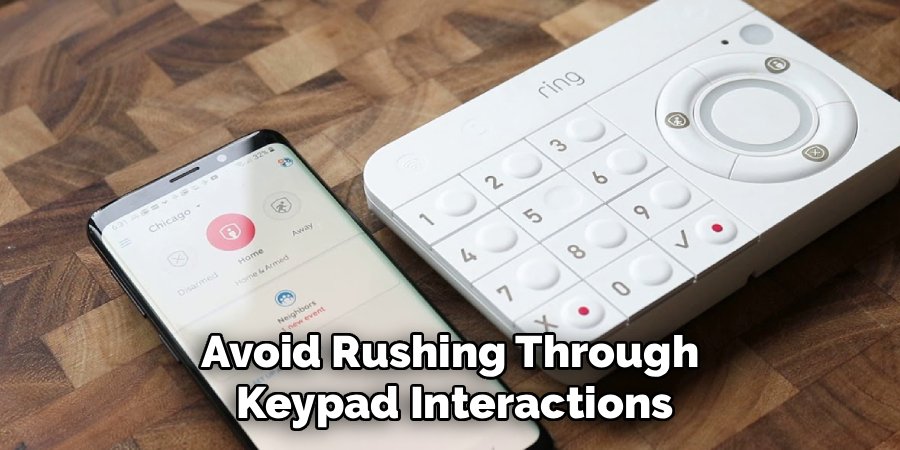
Avoid leaving windows or doors open when attempting to arm the system, as this can prevent engagement. Enter codes deliberately, pausing if an error occurs instead of correcting mid-entry. Do not share master codes with temporary visitors; create separate guest codes for safety. Avoid rushing through keypad interactions, as careful and calm operation ensures system accuracy. Awareness of these common missteps promotes responsible use and helps maintain consistent security coverage without introducing risk or confusion.
Frequently Asked Questions
How often should I check or replace keypad batteries?
Most Ring Alarm Keypads have built-in rechargeable batteries that last several months on a single charge. Regularly inspect the battery status indicator and recharge as needed. Keeping the device charged ensures uninterrupted functionality, prevents operational gaps, and maintains reliable communication with the base station. Using the keypad with sufficient power helps avoid service interruptions and ensures the system operates as intended at all times.
Can I use the keypad if the Wi-Fi goes down?
Yes, the keypad communicates with the base station using a dedicated radio frequency, independent of your home internet. You can still arm, disarm, and adjust security modes locally even if Wi-Fi is unavailable. Without internet access, notifications to your phone may be delayed unless cellular backup is enabled. Local operation remains fully functional, allowing you to maintain control and safety within the home during network interruptions.
How do multiple users access the system safely?
The system allows unique access codes for different household members or trusted guests. Assign codes through the mobile app or base station, enabling individuals to interact with the keypad securely. Each code is recognized independently, allowing you to track who armed or disarmed the system without compromising the master access code. This approach maintains security integrity while supporting multiple users in a household.
Is the keypad suitable for outdoor use?
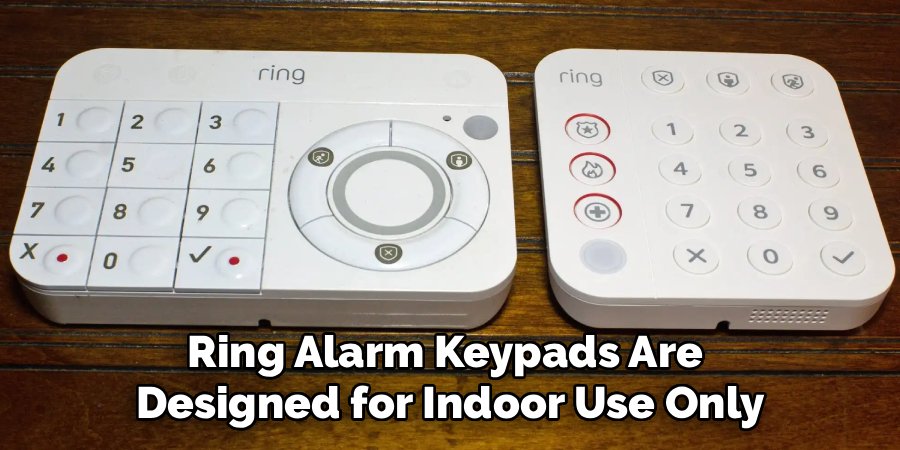
Ring Alarm Keypads are designed for indoor use only. Exposure to moisture, extreme temperatures, or direct sunlight may damage internal components and render buttons unresponsive. Mount the device indoors, near frequently used entryways, to maintain functionality. Keeping the keypad in a climate-controlled environment ensures longevity and reliable operation.
How do I clean the keypad safely?
Always disarm the system before cleaning. Wipe the device gently with a dry, lint-free cloth. For smudges, slightly dampen the cloth with water only. Avoid using sprays, harsh chemicals, or excessive moisture that could damage plastic buttons or internal electronics. Regular cleaning preserves responsiveness while preventing accidental system activation.
Conclusion
Understanding how to use Ring Alarm Keypad empowers you to manage your home’s security with confidence and ease. By mastering the device’s functions, you ensure consistent protection and smooth daily operation.
Consistent, careful interaction reduces the chance of errors and provides peace of mind for the entire household. Sharing this knowledge with family members encourages responsible use and reinforces a safe, secure home environment. Approaching the keypad thoughtfully and maintaining it regularly keeps your home protected while integrating seamlessly into your everyday routines.
