
Managing home access is a normal part of everyday living, and electronic door locks are designed to make that responsibility easier and more controlled. Knowing how to Reset Tru Bolt Lock Code can be helpful during routine life changes, such as moving into a new home, updating household access, or simply wanting to keep things organized.

This process is not about reacting to danger or fixing a failure, but about maintaining awareness and confidence in how your lock functions. Tru Bolt keypad locks are built with homeowner-friendly features, allowing adjustments without professional tools or technical skills. When you understand the reset process ahead of time, it feels calm and manageable rather than uncertain. This guide explains the topic clearly and gently, helping you approach lock maintenance as a regular part of home care that supports comfort, clarity, and peace of mind.
What Does Resetting a Tru Bolt Lock Code Mean?
Resetting a Tru Bolt lock code refers to restoring the electronic keypad system to its original factory condition. This process clears all previously stored access numbers from the lock’s memory and allows a new primary code to be created. It does not alter the physical deadbolt or the traditional key function. Instead, it refreshes the digital settings so access control starts cleanly. The purpose is organization and improved control rather than repair or correction, making it a standard feature designed for everyday homeowners.

Getting Ready Before You Begin
Before starting the reset process, it helps to approach the task with a calm and prepared mindset. Tru Bolt locks are designed to be handled by regular users, not technicians, so there is no need to rush or feel pressured. Taking a moment to understand what will happen during the reset helps reduce uncertainty and supports a smoother experience. When you begin with patience and awareness, the process feels more like routine upkeep than a technical challenge.
Why Resetting the Lock Code Is Important
Refreshing your lock’s access settings supports long-term household safety and clarity. Over time, entry codes may be shared, forgotten, or no longer appropriate for current routines. Resetting the lock clears outdated access information and ensures that control remains with the homeowner. This practice reduces confusion and supports better protection without changing hardware or adding complexity. Rather than responding to problems, it encourages proactive awareness and responsible management of your home’s entry system.
Common Situations You Should Be Aware Of
There are several everyday situations where a reset may be useful. Moving into a previously occupied home is one of the most common reasons, as it ensures that prior access is no longer active. Temporary access given to guests, cleaners, or service professionals may also prompt a reset once their visit is complete. In some cases, users simply forget a code or replace batteries and prefer to refresh settings. These situations are normal, and understanding them helps homeowners respond calmly and confidently.
Tools and Materials You’ll Need
- A Phillips head screwdriver
- Fresh alkaline batteries
- A small pointed object, such as a paperclip
- The manufacturer’s instructions, if available

Step-by-Step Guide: How to Reset Tru Bolt Lock Code
Step 1: Access the Interior Lock Assembly
Before beginning, ensure the door is open and unlocked to support comfort and improved safety during the process. This position allows you to work without pressure and prevents interruptions. Using a Phillips head screwdriver, gently remove the interior cover of the lock. Handle the screws carefully and place them aside so they are easy to reinstall later. Once the cover is removed, the battery compartment and internal components will be visible. This step focuses on preparation rather than force. Taking your time here supports proper usage and reduces potential risk to internal parts. Observing how the components are arranged also makes reassembly easier, helping maintain the lock’s integrity and long-term performance.
Step 2: Perform the Factory Reset
With the interior assembly accessible, you can now restore the lock’s electronic settings. Begin by removing one battery from the compartment to temporarily pause power flow. This step prepares the system for a clean reset. Locate the small reset button near the internal circuit area, which is usually slightly recessed. Using a paperclip or similar object, press and hold this button gently. While holding it down, reinsert the battery and continue holding the button for a few seconds. You may notice a light or sound that confirms the reset is complete. These signals indicate that stored codes have been cleared safely, providing a fresh starting point without causing wear or damage to the lock.
Step 3: Set a New Master Code
After the reset, the lock enters its default programming state and is ready to accept a new master access code. Follow the manufacturer’s programming sequence to create your new code, which usually involves entering a default setting and confirming your chosen combination. Select a code that feels easy for you to remember while avoiding obvious patterns. This choice supports everyday precautions and better protection. Once confirmed, test the code while the door remains open to ensure smooth operation. This final step restores full functionality and reinforces responsible control over who can access your home.
Simple Safety Tips You Can Use
Treat your keypad access code as private household information and share it only when necessary. When temporary access is required, remember to update or remove that code afterward. Periodically checking battery condition helps maintain reliable operation and avoids unexpected interruptions. These small habits support consistent safety without adding complexity or stress.
How to Stay Safe in Everyday Situations
At home, make locking the door part of your routine, even when you are inside. Family members should understand the importance of keeping access information private. Avoid writing code on visible notes or storing them in obvious places. From a lifestyle perspective, keeping the interior lock area accessible behind furniture can make future maintenance easier. These everyday practices support a calm and dependable approach to home security.
Common Mistakes to Avoid
One common oversight is leaving the factory default code unchanged after installation or reset. Another is choosing combinations that are overly simple or widely shared. Some homeowners also forget to test new settings before closing the door. These points are about awareness, not criticism. Recognizing them helps maintain clarity and better protection over time.
Frequently Asked Questions
How to Reset Tru Bolt Lock Code if I forget my master code?
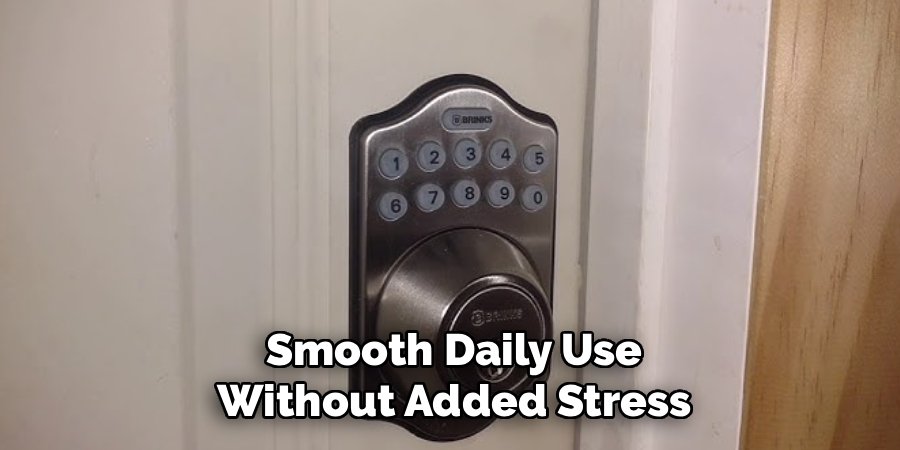
Forgetting a master code can feel inconvenient, but the solution is straightforward and manageable. In most cases, performing a full factory reset clears the stored access information and returns the lock to its original default settings. Once the reset is complete, you can create a new master code following the standard programming steps. Helpful practices include choosing a memorable but non-obvious number and storing it in a secure, private location. Testing the new code calmly before closing the door ensures confidence and smooth daily use without added stress.
How often should a Tru Bolt lock code be updated?
There is no strict schedule for updating electronic lock codes. Many homeowners choose to do so after specific life events such as moving, hosting long-term guests, or changing household routines. Others prefer an annual update for the organization. The most important factor is whether the current code still fits your needs and comfort level. Updating when circumstances change helps maintain clarity and control.
Does resetting the lock affect the physical key?
Resetting the electronic keypad does not change the mechanical key function. The physical key and digital system operate independently, which provides a reliable backup option. You can continue using your key exactly as before, regardless of changes made to keypad settings. This design supports convenience and reassurance during everyday use.
Can multiple user codes be active at the same time?
Most Tru Bolt electronic locks support multiple user codes in addition to the master code. This feature allows families or trusted individuals to have their own access without sharing the primary code. Individual user codes can usually be added or removed without affecting others, providing flexibility while maintaining clear control over access.
What should I do if the lock does not respond after resetting?
If the lock seems unresponsive, the first step is to check the batteries and ensure they are fresh and correctly installed. Reviewing the reset steps calmly to confirm timing and sequence can also help. If the issue continues, manufacturer support resources can provide guidance. Approaching the situation patiently supports better outcomes and avoids unnecessary frustration.
Conclusion
Knowing How to Reset Tru Bolt Lock Code helps homeowners manage access calmly, responsibly, and with confidence. This process is a standard part of electronic lock maintenance and supports organization rather than urgency. By understanding when and why to refresh settings, you maintain control over your home’s entry system without added stress. The steps are designed for everyday users and encourage thoughtful handling. With simple habits and informed awareness, keypad locks remain reliable tools that support comfort, consistency, and peace of mind in daily life.
